

Introducing Groups: Chat and Meetups for Guinness Drinkers in Your City
Finding a good pint is only half of it. The other half is having someone to drink it with! So today we're launching Groups, our biggest new feature since the apps went live last year.
Cities on The Guinness Map now have their own groups, where you can chat with other Guinness drinkers nearby, share photos of your pints, and organise a meetup at a pub. Groups is live on the website and in our iOS and Android apps.
Finding your group
Head to the Groups tab and you'll see every city that has a group. You can search for your city and sort the list by most members or A to Z. Once you've signed in, switch to "Yours" to see only the groups you've joined.
Each group card shows some of the members, the member count, and a few topic tags. The tags come from what people have been chatting about lately, or from reviews of the city's pubs if the chat is still quiet.
You don't need an account to have a look around. You can browse groups, read the latest messages in a chat, and check out upcoming events. When you're ready to join in, we'll ask you to sign in and bring you right back to where you were.
Before you join, we'll ask you to read the group guidelines. One tap after that and you're in.
The chat
Messages show up live, so it feels like a proper group chat. Here's what you can do:
- Send messages and photos (a photo of your pint is always welcome)
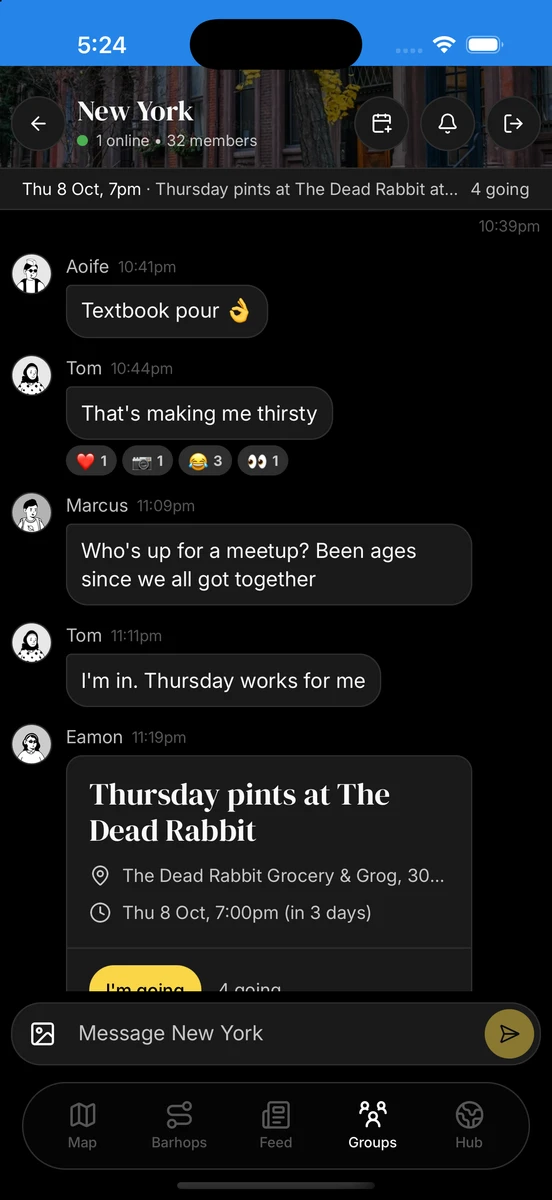
- React to messages with an emoji
- Tap a photo to see it full size
- Edit a message for up to 15 minutes after sending, or delete it whenever you like
- See who's typing and how many people are online
- Check the member list to see who else is in the group
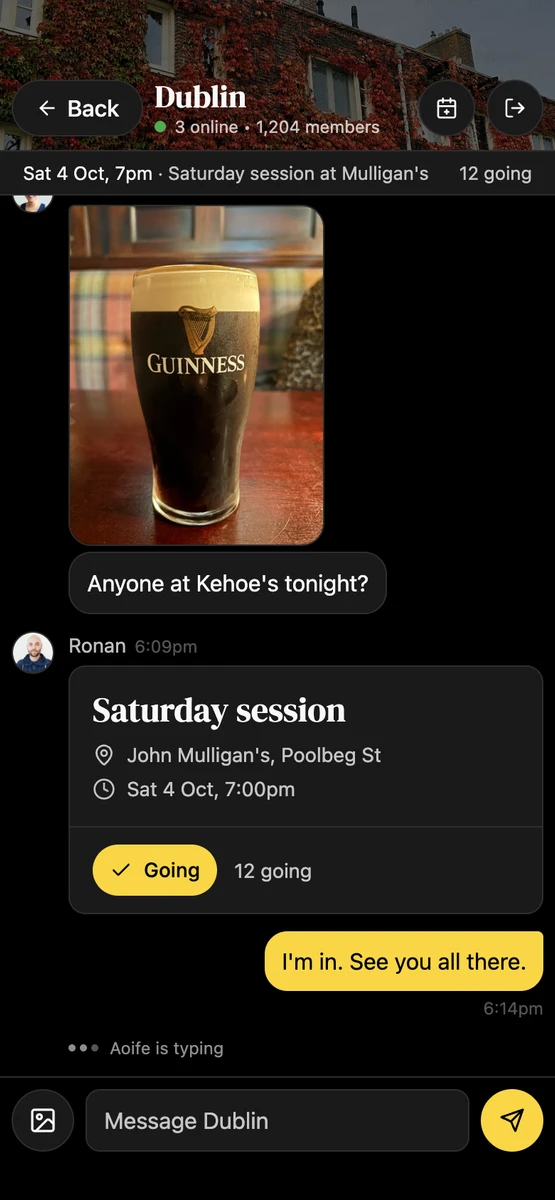
If you've been away for a while, an unread badge on the group shows how many messages you've missed.
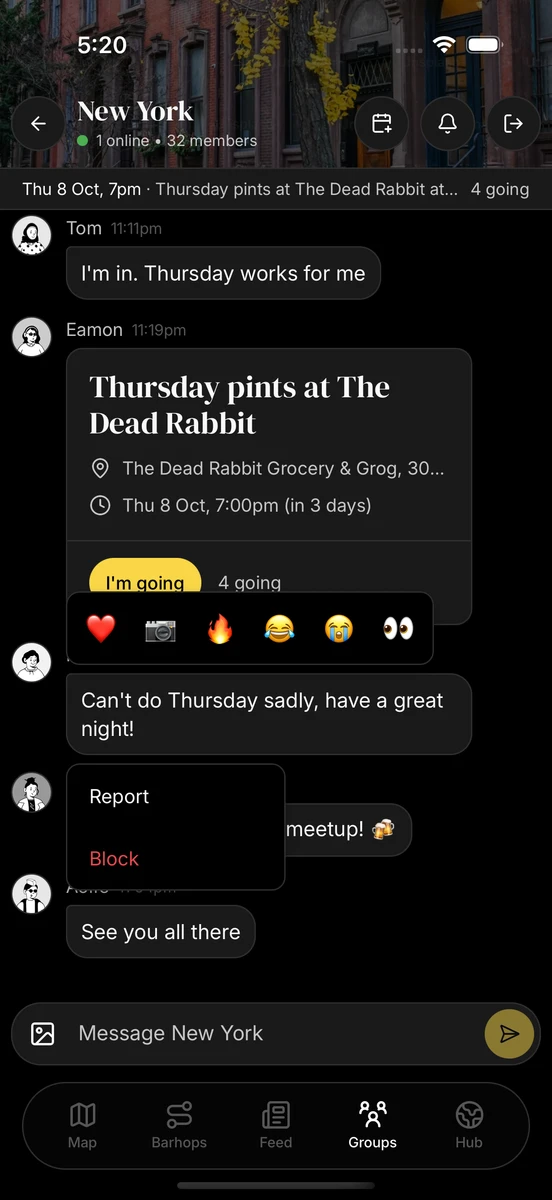
Reactions are a quick way to cheer on a good pour without adding another message. Press and hold a message to pick an emoji, or use the menu next to it on desktop. Everyone's reactions show up underneath.
Notifications
Nobody wants their phone buzzing every time someone says "sláinte", so we've kept chat notifications light. You'll get one when someone starts a new conversation in your city, and never more than one per city every three hours. If that's still too much, tap the bell in the chat header to mute that city.
Meetups
This is the part we're most excited about. Any member can create a meetup. Just pick a pub in the city, set a date and time, and give it a title. You can add a description too, like where in the pub to find you. The meetup pops up as a card in the chat and in the Events tab, and members can RSVP to let everyone know they're going.
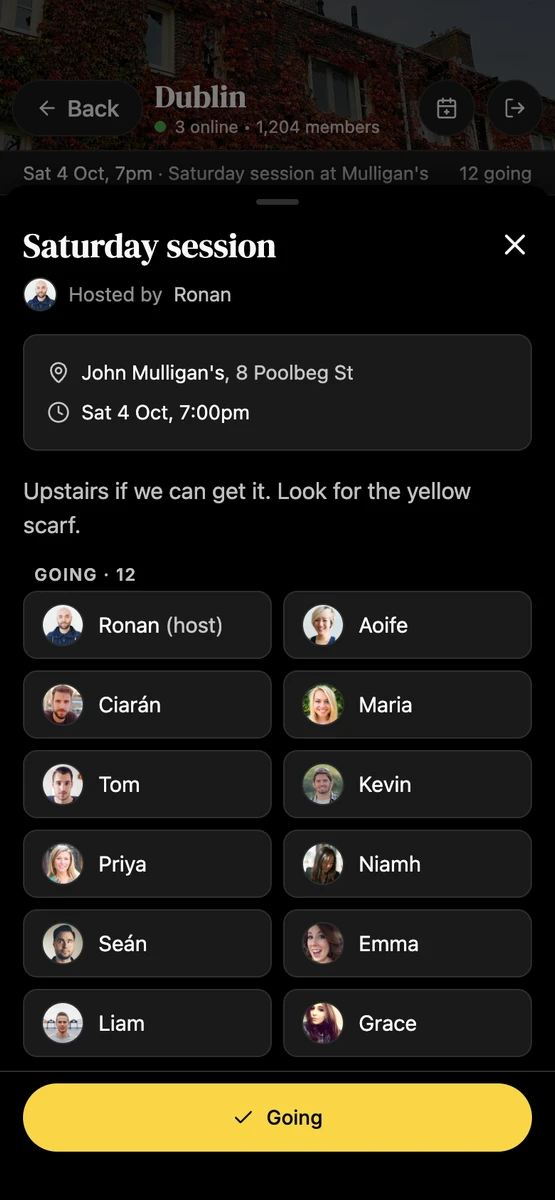
A few things to know:
- One meetup at a time. Each city has one upcoming meetup at a time, so everyone gets behind the same plan.
- Up to 60 days ahead. That's as far out as you can schedule one.
- Local time. Meetup times always show in the city's own time zone, which is handy if you're planning a trip.
- Plans change. The host can edit or cancel a meetup any time before it starts.
Find a pub on the map, get a few people together, and have a pint. That's what we've wanted The Guinness Map to help with from day one.
Keeping it friendly
We want Groups to feel like a good local, so there are a few ground rules. The full list is on our group guidelines page, but the short version is: treat people in the chat the way you'd treat them at the bar.
Here's how we keep things that way:
- We automatically check every text message against the guidelines, and we review anything flagged or reported ourselves before we remove it.
- You can report any message from the same menu you use for reactions. The person you report won't know it was you.
- You can block someone. They won't be told, and you won't see their messages anymore.
- Links are only allowed if they point to The Guinness Map, which keeps the spam out.
- New accounts can join and read straight away, but need to wait a day before posting or creating a meetup.
Don't see your city?
Any city with a pub on the map can get a group. If yours doesn't have one yet, sign in and tap "Request a city" at the bottom of the Groups list, and we'll get a heads up.
Go say hello!
Join your city, say hello, and if nobody has organised a meetup yet, why not be the first? We can't wait to see the first few meetups happen.
As always, we're open to hearing your ideas. If something isn't working or you'd like to see something added, let us know on the feedback page.
Sláinte!
Darren